masonry_kit
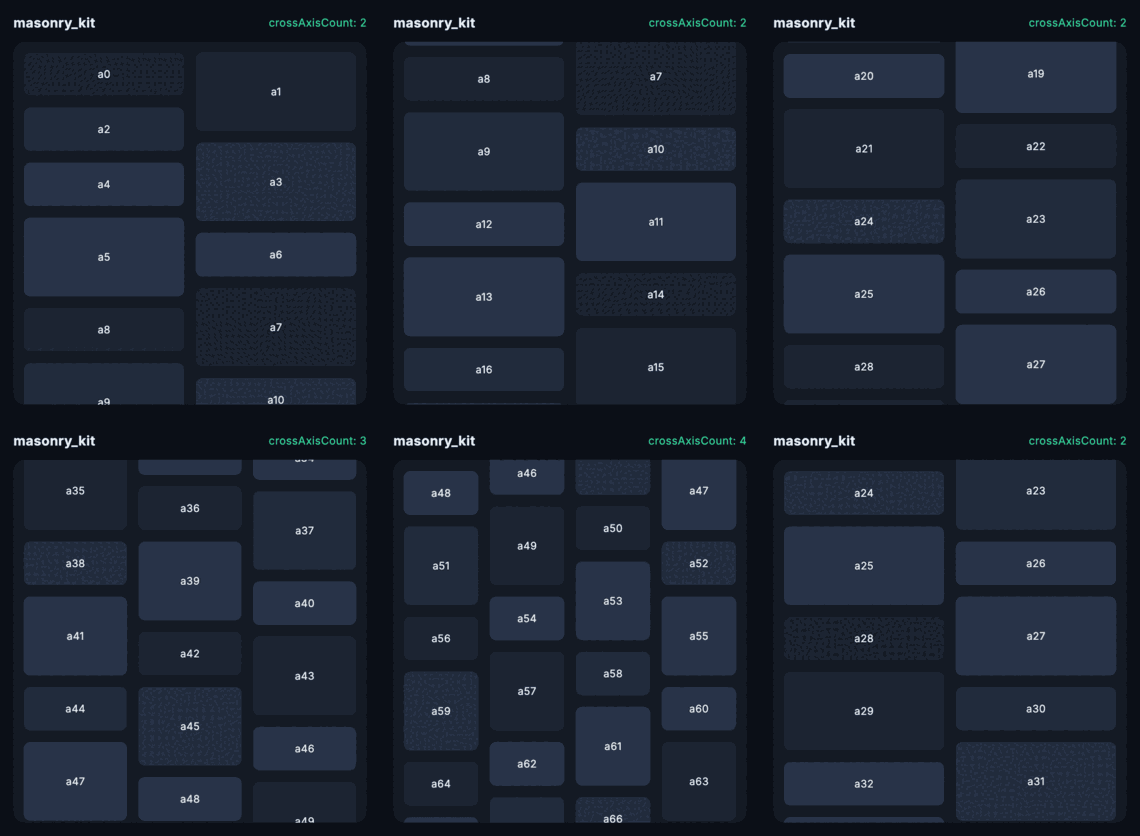
A staggered / masonry grid for Flutter — Pinterest-style columns, as a sliver or a box widget. Several grids share one CustomScrollView without scrolling backwards.
masonry_kit
A staggered / masonry grid for Flutter — Pinterest-style columns of uneven height, as a sliver or a plain box widget.
Unlike the alternatives, you can put more than one in the same scroll view without the viewport jumping backwards as you scroll.
MasonryGridView.count(
  crossAxisCount: 2,
  mainAxisSpacing: 8,
  crossAxisSpacing: 8,
  itemCount: photos.length,
  itemBuilder: (context, index) => Photo(photos[index]),
);
The problem
flutter_staggered_grid_view does 1.22M downloads a month and has not had a commit since July 2023. Its tracker has been carrying the same complaint since 2022 — #265, #244, #286, #338 — put two SliverMasonryGrids in one CustomScrollView and scrolling throws you backwards.
Running both packages through one harness, dragging forward 45 times:
grids in one CustomScrollView | flutter_staggered_grid_view 0.7.0 | masonry_kit |
|---|---|---|
| one | no backward jumps | no backward jumps |
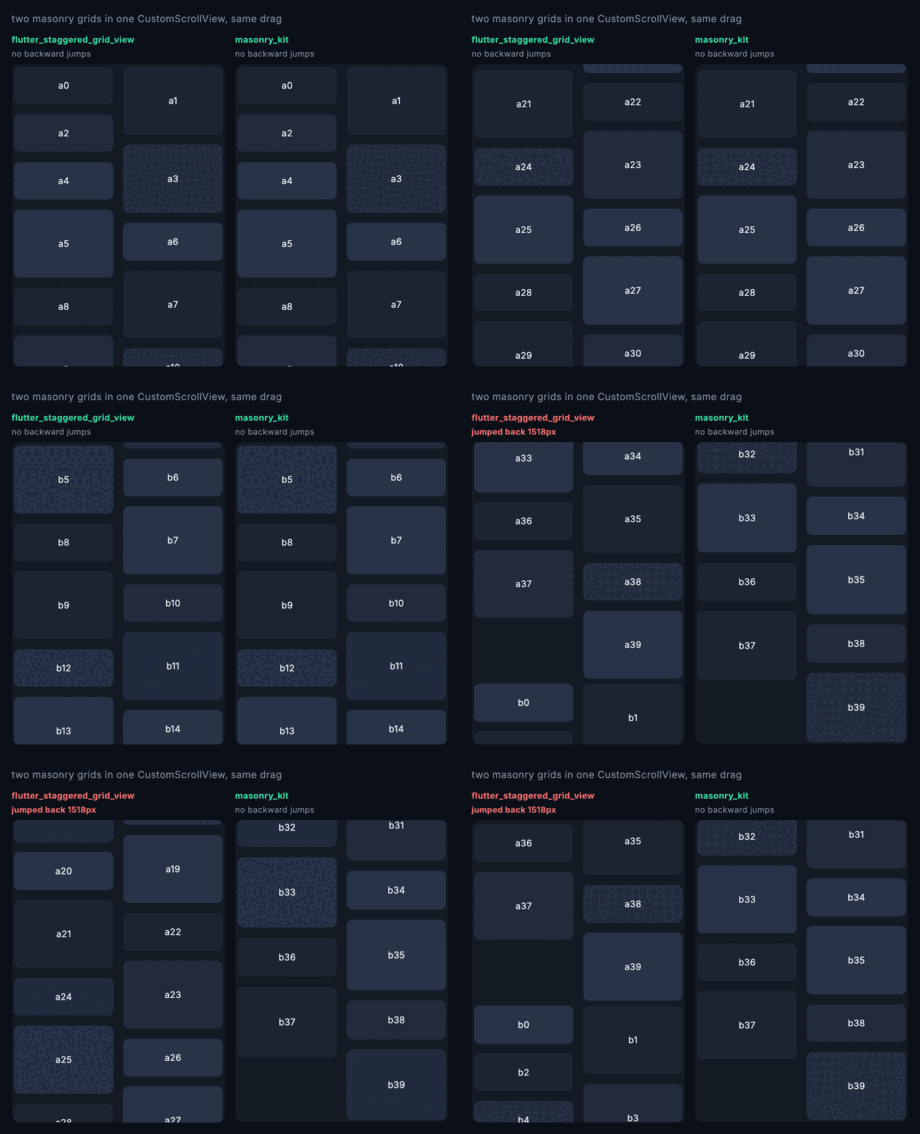
| two | 2 jumps, worst 3,400px | none |
| four | 3 jumps, worst 2,350px | none |
Both panels below are dragged by the same finger, the same distance, at the same moment. The left one gets thrown back into the first grid:
Why it happens
Masonry is sequential: you cannot know where item 400 goes without the measured heights of the 399 above it. So the usual approach estimates, discovers it was wrong, and asks the viewport for a scrollOffsetCorrection. That is a real part of the sliver protocol, and it makes the viewport throw away the layout pass and start again.
With one such sliver you mostly get away with it. With two, the second one's correction restarts the pass, the first — now scrolled well past — re-runs into its own "ran out of children before reaching the scroll offset" branch, and hands back a correction the size of its entire offset. That is the 3,400px.
What this does instead
Measure once, remember, never revise. Each item's column and offset are decided the first time it is measured and are then permanent, so this sliver has no reason to ever issue a correction — and it doesn't.
The same property makes the scrollbar honest, because measured items contribute their exact extent and only the unmeasured tail is estimated:
| worst shrink in the reported scroll extent | |
|---|---|
Flutter's own SliverList | 2,887px |
flutter_staggered_grid_view | 1,920px |
masonry_kit | 145px |
400 items, 45 forward drags — test/head_to_head_test.dart runs it, so these figures cannot quietly stop being true. The absolute pixels depend on the item count and cell heights; the order of magnitude is the claim. Note that Flutter's own lazy estimate drifts furthest here: this is a property of estimating an unmeasured tail, not a defect unique to the incumbent.
Feeds with no end
itemCount is optional. Leave it out and the grid discovers the end when the builder returns null, the same contract ListView.builder has — so a paginated feed works without knowing its length up front.
SliverMasonryGrid.builder(
  crossAxisCount: 2,
  itemBuilder: (context, index) =>
      index < loaded.length ? Photo(loaded[index]) : null,
)
MasonryGridView.builder is the same thing as a scrollable. Pass itemCount when you do know the length — a known count lets the scroll extent be estimated instead of reported as infinite, which is what keeps the scrollbar meaningful.
Sliver or box widget
MasonryGridView is the scrollable; SliverMasonryGrid is the same layout for a CustomScrollView, and putting several in one is the entire point.
CustomScrollView(
  slivers: [
    const SliverAppBar(title: Text('Feed')),
    SliverMasonryGrid.count(crossAxisCount: 2, childCount: 40, itemBuilder: ...),
    const SliverToBoxAdapter(child: Divider()),
    SliverMasonryGrid.count(crossAxisCount: 3, childCount: 60, itemBuilder: ...),
  ],
);
Both take mainAxisSpacing, crossAxisSpacing and crossAxisCount. MasonryGridView also takes the usual BoxScrollView arguments — padding, physics, controller, scrollDirection, reverse, shrinkWrap, cacheExtent, findChildIndexCallback and the rest — and works on either axis.
What this does not do
Only masonry. The package it replaces also ships aligned, quilted, woven and staired layouts. Those are not broken, so they are not here; if you use them, stay where you are.
A far jump measures its way there. Because masonry is sequential, jumping to the far end of an unvisited list has to measure everything in between. Ordinary scrolling never notices, since the cache grows a screenful at a time, but a scrollbar dragged from top to bottom of a very long grid will do real work. That cost is the price of never lying about where an item is. It measures, but it no longer holds — children already walked past are released as it goes, so a jump to the end of a 2,000-item grid peaks at ~118 live subtrees rather than 1,808.
Alternatives, honestly
waterfall_flow (21k downloads a month, maintained) does not have the backwards-scrolling bug either, and if it suits you, use it. The difference is the API: SliverWaterfallFlow.count takes a List<Widget> children, so lazy building means restructuring your call site into a delegate. masonry_kit keeps itemBuilder, so the switch from flutter_staggered_grid_view is an import line.
flutter_staggered_grid_view itself is still the right answer if you need aligned, quilted, woven or staired layouts, or if you are below Flutter 3.24.
License
MIT © K M Shahriar Hossain