apple_foundation_models
Run Apple's on-device language model from Flutter. Streaming, tool calling, and schema-constrained structured output — private, offline, and free.
apple_foundation_models
Run Apple's on-device language model from Flutter.
No API key, no network, no per-token cost, and nothing leaves the device.
final session = await LanguageModelSession.create(
  instructions: 'You summarise text in one sentence.',
);
print(await session.respond(article));
await session.dispose();
Read this before you install
The model is not available to most users, and the package cannot change that. It needs iOS 26 or macOS 26, on Apple Intelligence hardware, with the feature switched on and the model downloaded.
So this is a progressive enhancement, never a dependency. Check first, and be prepared to hide the feature entirely:
switch (await AppleFoundationModels.availability()) {
  case ModelAvailable():
    showTheAiFeature();
  case ModelUnavailable(:final reason) when reason.isTransient:
    showBanner(reason.explanation, action: reason.remedy);
  case ModelUnavailable():
    hideTheAiFeatureEntirely();
}
isTransient is the distinction worth acting on: modelNotReady resolves itself, deviceNotEligible never will. Prompting a user to fix hardware they cannot fix is worse than not offering the feature.
Adding this package to an Android or web build is safe — those platforms report unsupportedPlatform rather than failing to compile.
The Swift is also guarded with #if canImport(FoundationModels) so a toolchain without the iOS 26 SDK should compile and report osTooOld. That path is not covered by CI and I have only tested it on Xcode 26, so please file an issue if your setup trips on it.
Install
dependencies:
  apple_foundation_models: ^0.4.0
Structured output
This is the reason to use the package rather than call the framework yourself.
Swift's @Generable macro runs at compile time, so it can never see a type you declared in Dart. Describe the shape as data instead, and it is rebuilt natively as a DynamicGenerationSchema — the model is then structurally incapable of returning anything else. No codegen, no build step, no parsing.
final triage = Schema.object(
  name: 'Triage',
  {
    'priority': Schema.oneOf(['low', 'medium', 'high']),
    'summary': Schema.string(description: 'one short line'),
    'tags': Schema.array(Schema.string(), maxItems: 3),
    'hours': Schema.integer(),
  },
  optional: {'hours'},
);

final result = await session.respondAs(
  'Triage this: the login button does nothing on iPad.',
  schema: triage,
  options: GenerationOptions.deterministic,
);
// {priority: high, summary: ..., tags: [...], hours: 2}
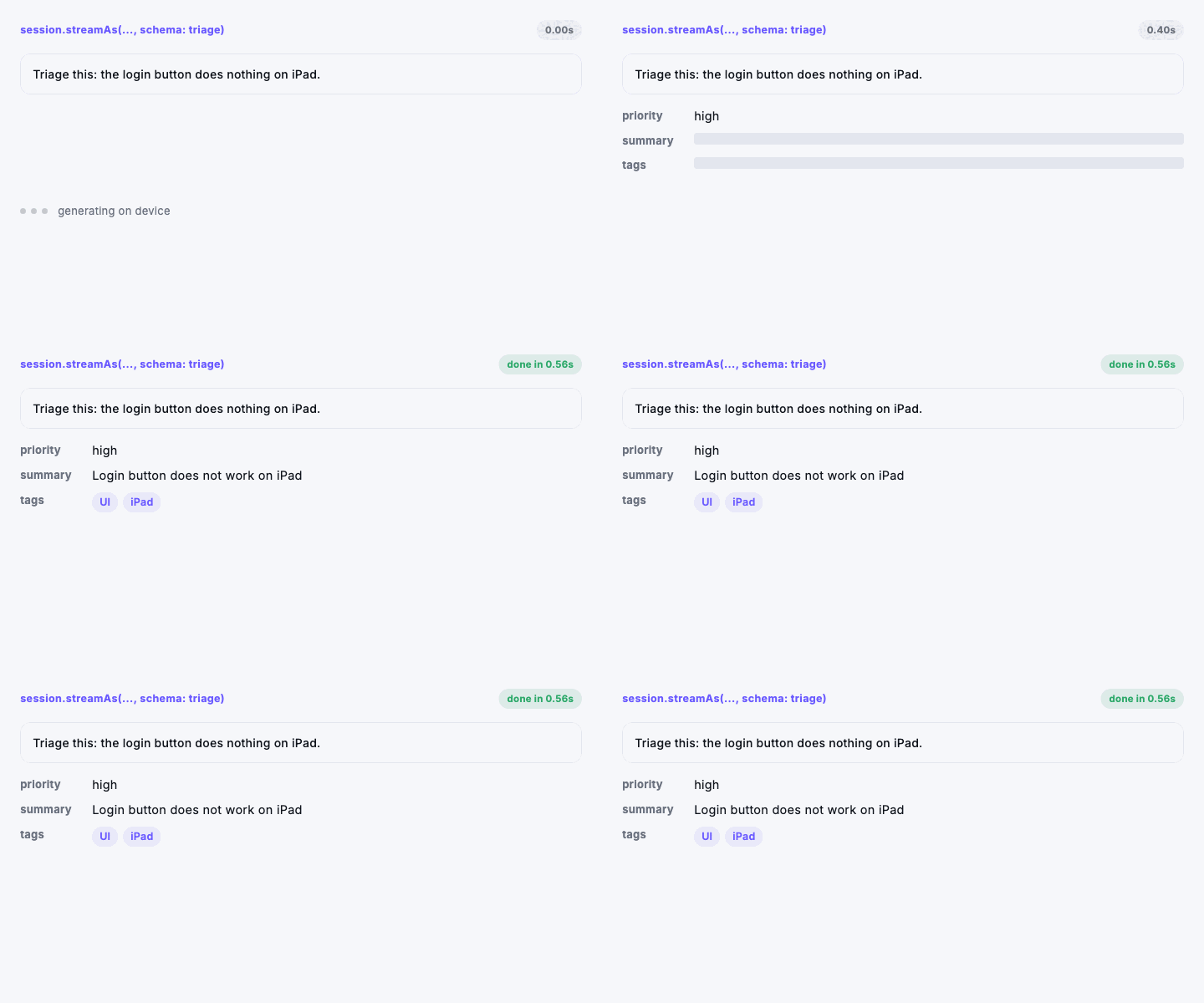
Schema.oneOf is the one to reach for most: the model cannot invent a value outside the list, which makes classification reliable rather than hopeful.
Constrain the values, not just the shape
Bounds are applied while the model generates, so it is incapable of breaking them. This is the difference between asking for a 1-to-5 rating and getting one — without a bound, "rate this 1 to 5" cheerfully returns 47.
Schema.integer(min: 1, max: 5);          // a real rating
Schema.number(min: 0, max: 1);           // a real confidence
Schema.string(pattern: r'^[A-Z]{3}$');   // a real airport code
Schema.array(Schema.string(), exactItems: 3);
Decode straight into your own type
final triage = await session.respondInto(
  report,
  schema: triageSchema,
  decoder: Triage.fromJson,
);
streamInto does the same progressively. Partial snapshots that your decoder rejects are skipped rather than failing the stream.
Streaming
await for (final text in session.stream('Write a haiku about rain.')) {
  setState(() => _draft = text);
}
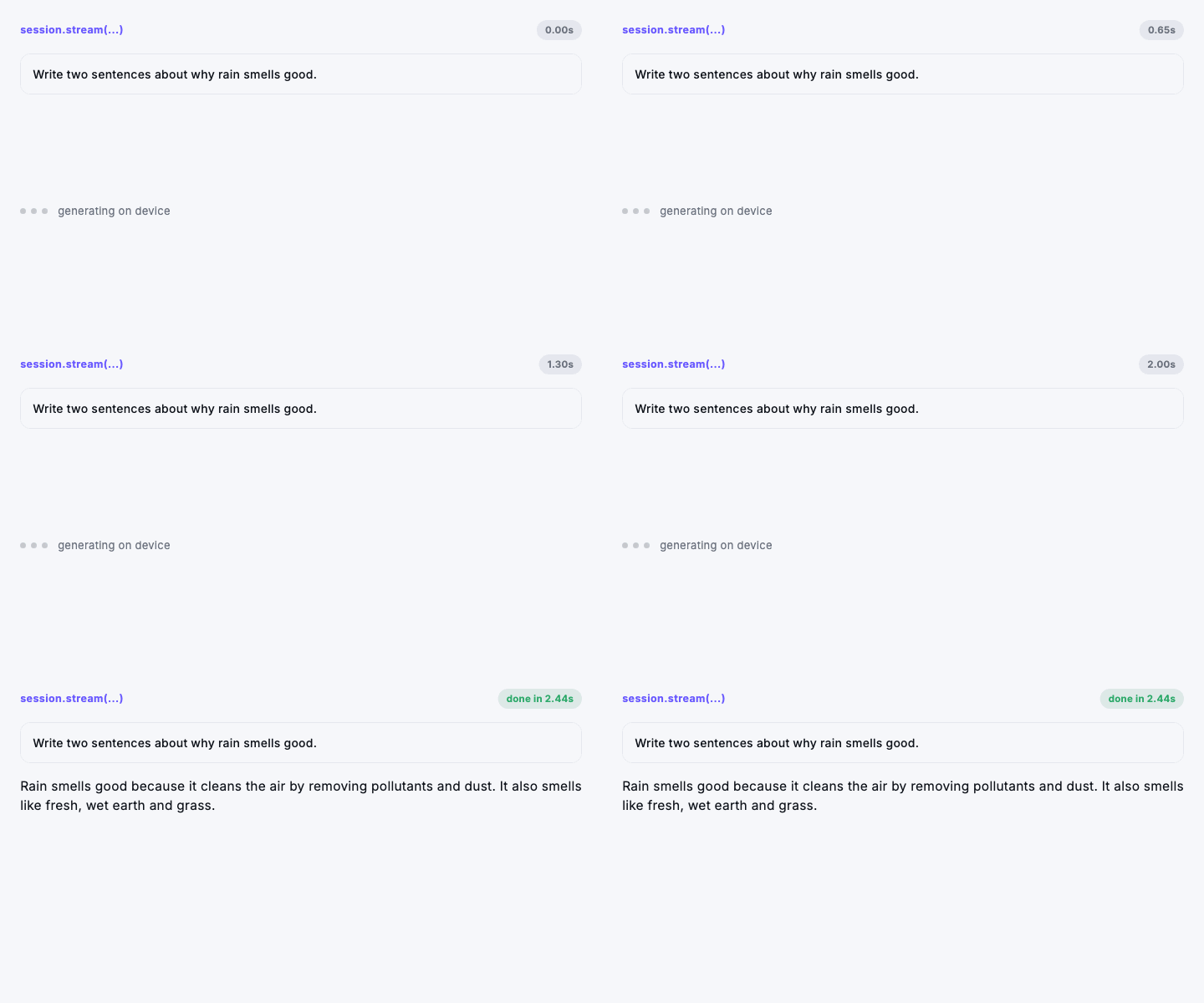
Each event is the whole response so far, not a delta. Assign it; do not append. Concatenating produces text that repeats itself — it is the one easy mistake here, and it mirrors how the platform actually behaves.
streamAs does the same for structured output, so an object fills in field by field. Early snapshots are partial, so read defensively until the stream ends.
If you need increments rather than snapshots — writing to a buffer or a socket — deltas() does the subtraction:
await for (final chunk in session.stream(prompt).deltas()) {
  stdout.write(chunk);
}
Tools
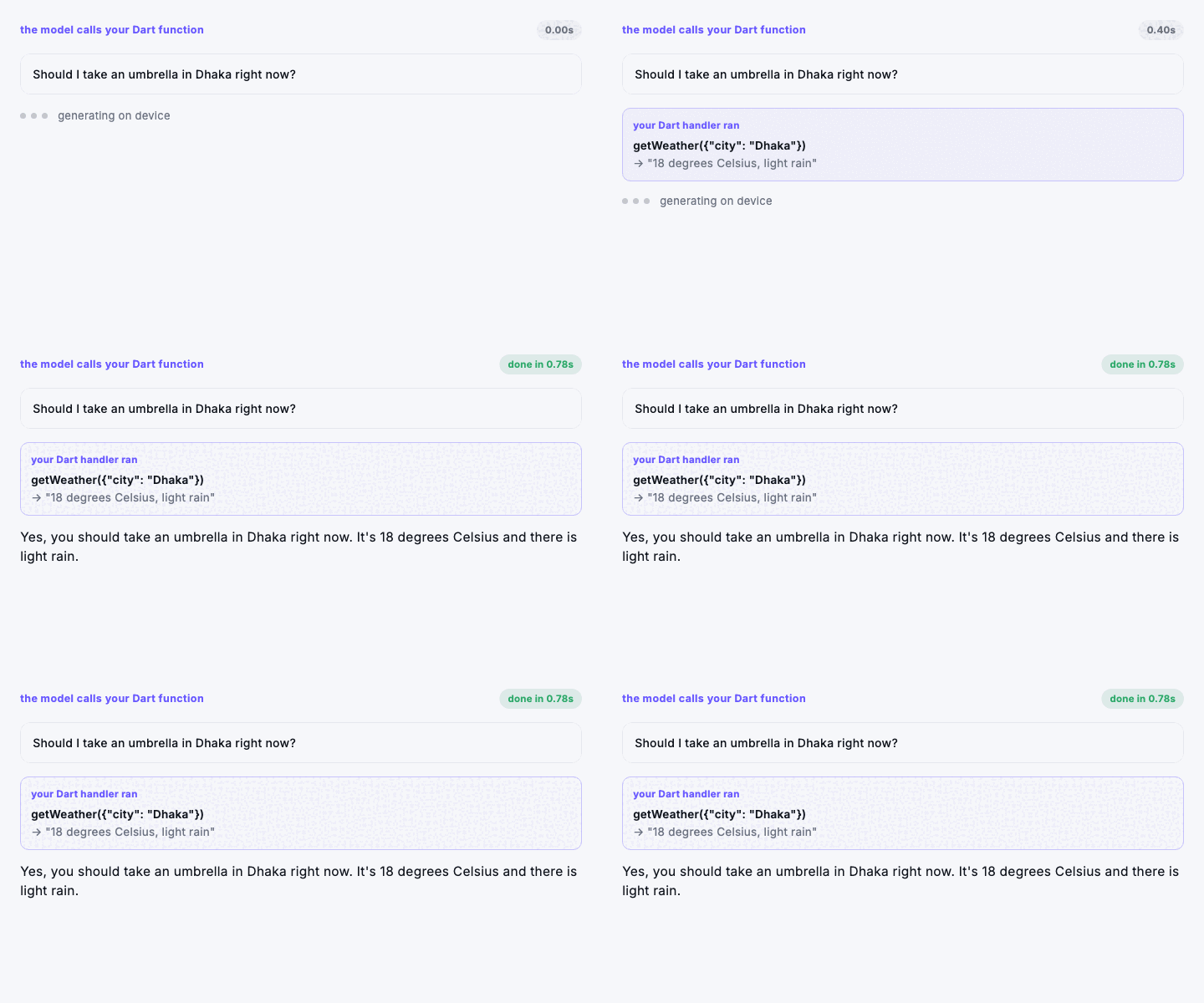
The model can call your Dart code mid-generation and wait for the answer, which is how an offline model reaches data it was never trained on.
final session = await LanguageModelSession.create(
  instructions: 'Use the provided tools instead of guessing.',
  tools: [
    LanguageModelTool(
      name: 'getWeather',
      description: 'Current weather for a city. Always call this rather than '
          'guessing the weather.',
      parameters: Schema.object({'city': Schema.string()}),
      handler: (args) async => weatherApi.summary(args['city']! as String),
    ),
  ],
);

await session.respond('Should I take an umbrella in Dhaka?');
Write description for the model, not for other developers — it is the only thing deciding whether the tool fires at the right moment. Saying when not to call it helps as much as saying when to.
Images
On iOS 27 and macOS 27 the model can look at pictures. Every request method takes images, as bytes or as a file:
if (await AppleFoundationModels.supportsImages()) {
  final total = await session.respond(
    'What is the total on this receipt?',
    images: [PromptImage.file(photo.path, label: 'receipt')],
  );
}
PromptImage.bytes takes anything Core Image decodes — PNG, JPEG, HEIC. PromptImage.file is read natively, so a large photo never crosses the platform channel. Either way a photo's orientation is applied, so a picture taken sideways is not read sideways. A label gives the model a name to refer to, which helps when there are several, and shows in the transcript as [image: receipt].
It needs three things, and supportsImages() checks all of them: iOS 27 or macOS 27, an app built with Xcode 27 or later, and a model that can see. Where any is missing, a request carrying images throws UnsupportedCapabilityException instead of quietly dropping them, and an image that will not decode throws InvalidImageException, which says which one.
Use the general model for images. On macOS 27.0 the content-tagging model reports that it can see, then fails every image it is given.
Pick the right model
Apple ships narrower models alongside the general one. A specialised model beats prompting the general one harder:
final tagger = await LanguageModelSession.create(
  useCase: ModelUseCase.contentTagging,
);
Languages
final tags = await AppleFoundationModels.supportedLanguages(); // BCP-47
Check before offering the feature in a locale the model cannot handle — the alternative is an UnsupportedLanguageException at the worst moment.
React when the model becomes ready
modelNotReady resolves itself while your app is open. Rather than making the user relaunch, listen:
StreamBuilder<ModelAvailability>(
  stream: AppleFoundationModels.availabilityChanges,
  builder: (context, snapshot) => switch (snapshot.data) {
    ModelAvailable() => const AiFeature(),
    _ => const SizedBox.shrink(),
  },
)
What was said
A session keeps its own history, and you can read it back — useful for showing a conversation, for resuming one, or for seeing exactly what the model was told before it answered.
for (final entry in await session.transcript()) {
  print('${entry.role.name}: ${entry.text}');   // prompt, response, instructions
}
TranscriptRole distinguishes the instructions the session was created with from the prompts and responses that followed, which matters when you are reconstructing a conversation rather than just displaying one.
macOS 27 and iOS 27 let a transcript hold two more things: the model's reasoning, as TranscriptRole.reasoning, and images, which read as [image] in the text. The on-device model does not reason yet, so the first will not appear from it.
Options
// Reproducible — use this for extraction and classification.
GenerationOptions.deterministic;

// Looser, for drafting prose.
const GenerationOptions(temperature: 1.2, maximumResponseTokens: 400);
Sampling can be greedy, topK, or topP, each optionally seeded.
Errors
Every framework failure has its own type, so you can respond to each rather than matching on message text: ContextWindowExceededException, GuardrailViolationException, RefusalException, UnsupportedLanguageException, DecodingFailureException, RateLimitedException, ConcurrentRequestException, AssetsUnavailableException, ToolCallException, SchemaException, UnsupportedCapabilityException, InvalidImageException.
The one to plan for is ContextWindowExceededException. The window does not grow, so recover by starting a fresh session — optionally seeded with a summary of the old transcript, which you can read from session.transcript().
A session handles one request at a time; overlapping calls raise ConcurrentRequestException. Use a second session for parallel work.
What this model is and is not good at
It is roughly a 3-billion-parameter model running on a phone. Judged against a frontier cloud model it will disappoint; judged as something free, instant, offline and private it is remarkable. Aim it accordingly.
Good at: summarising, tagging, classifying, extracting fields from messy text, rewriting tone, short suggestions, structured output.
Not good at: open-ended chat, multi-step reasoning, arithmetic, factual recall about the world, long documents, code generation.
If your feature needs any of the second list, use a cloud model. Reaching for this one because it is free will produce a worse product.
Privacy
Generation happens on the device. No prompt, response, or transcript is sent anywhere by this package, and there is no network code in it. Apple applies its own safety guardrails, which surface as GuardrailViolationException.
Testing
Schema translation, error mapping, and the unsupported-platform path are covered by ordinary unit tests with a mocked channel. Model behaviour cannot be unit tested — those tests live in example/integration_test and need a real Apple Intelligence device:
cd example && flutter test integration_test/plugin_test.dart -d macos
License
MIT © K M Shahriar Hossain
About the demos
The GIFs above are not mockups. tool/record_frames.dart replays snapshots and millisecond timings captured from a real run of the on-device model, so the text is what the model actually produced and the clock is the speed it actually produced it at — first-token latency included, because that is worth seeing rather than hiding.
flutter test tool/record_frames.dart ./tool/build_gifs.sh